
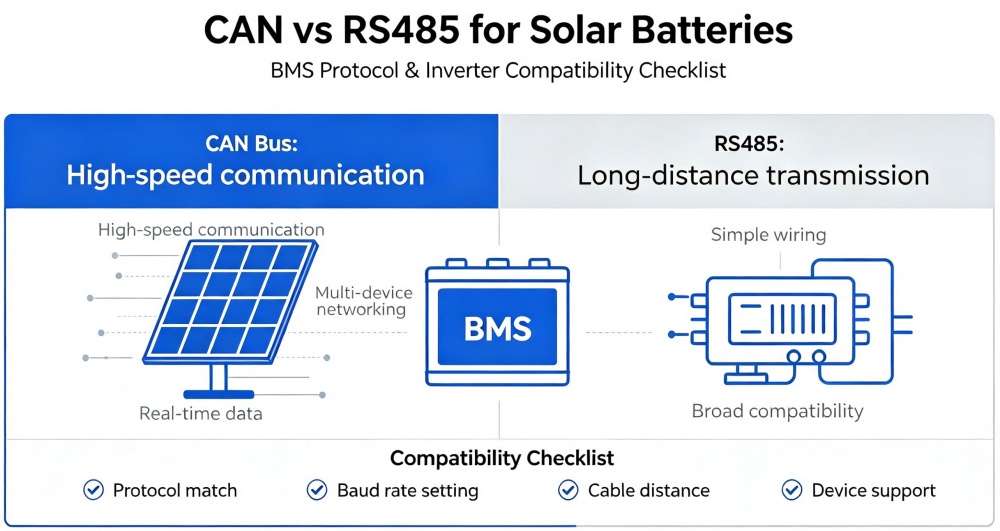
CAN vs RS485 for Solar Batteries: BMS Protocol & Inverter Compatibility Checklist
Quick answerCAN and RS485 can both carry battery-management data, but they are not interchangeable. The deciding factor is not the port shape—it is whether the battery BMS and inverter share the same protocol, pinout, baud rate, addressing and firmware profile. Use the exact inverter model for compatibility confirmation.
CANMulti-node differential communication with message arbitration
RS485Differential serial physical layer, often used with Modbus or proprietary protocols
RJ45 ≠ matchA common connector can hide different pinouts and data
CAN vs RS485 in battery-inverter systems
| Check | CAN | RS485 |
|---|---|---|
| What it defines | Bus communication and message handling | Electrical signaling; higher-level protocol still required |
| Common ESS use | Real-time BMS data and inverter control | Monitoring, control or daisy-chain communication |
| Topology details | Termination, node IDs and approved cable | Termination, polarity, addresses and baud rate |
| Compatibility proof | Matching CAN protocol/firmware profile | Matching higher-level protocol, settings and pinout |
Compatibility checklist before connecting a cable
- Record exact battery and inverter models, not only brands.
- Confirm software/firmware versions supported by each manufacturer.
- Select the approved BMS profile in the inverter.
- Verify connector type and every pin assignment.
- Check baud rate, address/DIP settings and termination.
- Use the approved cable length and routing.
- Power up in the documented order and inspect BMS/inverter logs.
Never assume an Ethernet-looking port is Ethernet. An RJ45 connector may carry CAN, RS485 or a proprietary pinout. A wrong cable can prevent communication or damage equipment.
How to verify a successful commissioning
- Inverter displays battery SoC, voltage, current and temperature plausibly.
- Charge and discharge limits track BMS commands.
- No communication, insulation or battery alarms remain active.
- Low-SoC reserve and recovery behavior match the design.
- Power-cycle and loss-of-communication tests produce safe behavior.
- Final settings, cable pinout and firmware are saved in the handover record.
Troubleshooting when the battery is detected but not controlled
| Symptom | Likely area | Check first |
|---|---|---|
| No battery data | Cable, pinout or port selection | Approved wiring and selected communication type |
| Wrong SoC or values | Protocol/profile mismatch | Exact inverter battery profile and firmware |
| Intermittent communication | Termination, cable or EMI | Ends of bus, routing, grounding and length |
| One unit missing in parallel bank | Addressing or master/slave setup | DIP/address plan and approved parallel cable |
| Charge/discharge disabled | BMS alarm or limit command | Cell voltage, temperature and alarm log |
Frequently asked questions
Is CAN always better than RS485?
No. Either can work reliably when the product implementation, protocol and wiring match. Choose the interface approved by both manufacturers.
Can I use a normal network cable?
Only if the manufacturers specify the same pinout and cable type. RJ45 does not mean standard Ethernet wiring.
Will communication work if voltage matches?
Not necessarily. Voltage compatibility and data compatibility are separate checks.
Can the inverter run without BMS communication?
Some systems allow voltage-based operation, but settings and protection behavior differ. Use it only when both manufacturers approve the method.
Sources and further reading
Interface behavior is product-specific. The approved battery and inverter manuals, firmware compatibility list and local electrical requirements govern installation.